
Home > Spanning Tree Lab Sim

Spanning Tree Lab Sim

April 14th, 2012 in LabSim Go to comments

Question:

The headquarter office for a cement manufacturer is installing a temporary Catalyst 3550 in an IDF to connect 24 additional users. To prevent network corruption, it is important to have the correct configuration prior to connecting to the production network. It will be necessary to ensure that the switch does not participate in VTP but forwards VTP advertisements that are received on trunk ports.
Because of errors that have been experienced on office computers, all nontrunking interfaces should transition immediately to the forwarding state of Spanning tree. Also, configure the user ports (all FastEthernet ports) so that the ports are permanently nontrunking.
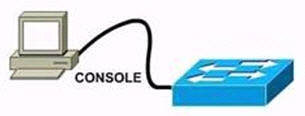
SpanningTreeLab.jpg

Requirements:
You will configure FastEthernet ports 0/12 through 0/24 for users who belong to VLAN 20. Also, all VLAN and VTP configurations are to be completed in global configuration mode as VLAN database mode is being deprecated by Cisco. You are required to accomplish the following tasks:

1. Ensure the switch does not participate in VTP but forwards VTP advertisements received on trunk ports.
2. Ensure all non-trunking interfaces (Fa0/1 to Fa0/24) transition immediately to the forwarding state of Spanning-Tree.
3. Ensure all FastEthernet interfaces are in a permanent non-trunking mode.
4. Place FastEthernet interfaces 0/12 through 0/24 in VLAN 20.

Answer and Explanation:

Switch>enable
Switch#configure terminal
Switch(config)#interface range fa0/1 – 24
Switch(config-if-range)#switchport mode access (Make all FasEthernet interfaces into access mode)
Switch(config-if-range)#spanning-tree portfast (Enables the PortFast on interface)

Next, we need to assign FastEthernet ports 0/12 through 0/24 to VLAN 20.

By default, all ports on the switch are in VLAN 1. To change the VLAN associated with a port, you need to go to each interface (or a range of interfaces) and tell it which VLAN to be a part of.

Switch(config-if-range)#interface range fa0/12 – 24
Switch(config-if-range)#switchport access vlan 20 (Make these ports members of vlan 20)
Switch(config-if-range)#exit

Next we need to make this switch in transparent mode. In this mode, switch doesn’t participate in the VTP domain, but it still forwards VTP advertisements through any configured trunk links.

Switch(config)#vtp mode transparent
Switch(config)#exit
Switch#copy running-config startup-config

(Notice: Many reports said the copy running-config startup-config didn’t work but they still got the full mark)


Other lab-sims in this site:

LACP with STP Sim
MLS and EIGRP Sim
VTP Lab 2
VTP Lab
AAAdot1x Lab Sim

Comments
Comment pages
1 2 44
  1. Prestley
    October 20th, 2012

    please guys
    post something positive, not some jokes.

  2. Amier
    October 30th, 2012

    may you let us know what are the LABs in exam ?

  3. Prabhjit
    November 4th, 2012

    I am not able able to find the link to download this SIM. Someone please help me out and let me know where it is.

    Thanks,

    Prabhjit Singh Bagga

  4. Ninik
    November 24th, 2012

    Maybe it was not included on the pvuoires versions of CCNA, I’m not quiet sure.And yes you can go directly from CCNA1 to CCNA3 (Switching) yet it not advised since there are some routing terms, functionality and configurations are being used in CCNA3 that you should be familiar with. However they are not heavily tested though.

  5. Courtney
    November 24th, 2012

    Interfaces Fa0/13 and Fa0/14 are not in a a specified VLAN. the fact that they are not shown in the VLAN table means that they are most lkleiy set to trunking, and as such they do not belong to any single VLAN.

  6. Anon
    November 30th, 2012

    Are these labs still current?

  7. Lucky
    December 1st, 2012

    Regarding requirement:

    “It will be necessary to ensure that the switch does not participate in VTP but forwards VTP advertisements that are received on trunk ports.”

    I believe that as addition to provided solution, command vtp version 2 also should exist.

  8. Mirza Hamza Babar
    December 17th, 2012

    can any Body plz provide me Valid dumps of CCNP Switc paper….
    m going to attmpt my paper on 29 or 30 ov ths month,,,,
    plz help me brothers,,,,,
    m waiting fo ur valid dumps…

  9. sherif
    December 18th, 2012

    Mizra Hamzara send your email address to me labite80@yahoo.com

  10. Prabhjit
    December 19th, 2012

    Hello everyone,
    I am taking my CCNP Switch exam this Friday (21st). I have read the Cisco Press book twice and also read the Glop dumps.
    Are there any other dumps I should look at or is that enough? I saw a couple more dumps like Boomish, Saajan but they all looked the same.
    Please let me know. Thanks.
    Prabhjit

  11. India
    December 22nd, 2012

    Cleared my CCNP-SWITCH just now with 9xx/1000. It was very easy. I had 43 questions with 3 labs – AAA, MLS EIGRP, and LACP – STP. Time allotted was 2 hours but I got done in 1 and half hours.
    AAA lab – straight forward (could not save config – copy run start)
    MLS Eigrp – straight forward (could not save config – copy run start)
    LACP – STP – Lil tricky. had to delete access vlan from the fa 0/3 and 0/4 and also native vlans. Had to add vlan 99 as native for trunk links. Also had to create int port-channel 1 and make it a trunk, then the etherchannel went up.
    Rest questions were all from Glop dumps. Study dumps very well. I also read the Cisco Press books twice.
    Good luck and thanks to certprepare for everything.

  12. Shyamsrule
    December 22nd, 2012

    I’m giving exam on 26th dec , so can some body give me a link for this simulation please..

  13. mailbomb
    January 3rd, 2013

    Hi guys check my page for latest switch dumps and for sure…

    mailbomb1234.wordpress.com

    if anyone can send me complete labs with solution, i will be thankful to you all,

    help me in labs and i help you guys…

    contact me at mailbomb1234 at gmail dot com

    Thank you …

  14. Marco
    January 15th, 2013

    Hey would someone mind sending me this the packet tracer file for this lab? Thanks! marco.massaroni@gmail.com

  15. Cold
    January 15th, 2013

    3. Ensure all FastEthernet interfaces are in a permanent non-trunking mode.

    Switch(conf)# Spanning-tree Portfast bpduguard Default

    1. Ensure the switch does not participate in VTP but forwards VTP advertisements received on trunk ports.

    Switch(Conf)# Vtp version 2

    Please Add Them To The Conf.
    Thanks Alot For The Great Effort u Doing Certprepare :)) Keep IT UP!

  16. Cold
    January 15th, 2013

    umm i Guess i Was Rushed With The BPDUGUARD .. Guess Access Mode Is Enough.. Sorry

  17. Cold
    January 15th, 2013

    3. Ensure all FastEthernet interfaces are in a permanent non-trunking mode.

    << The Running Spanning Tree Is RapidST.
    So If An Edgeport Received a BPDU Will Lose It's Portfast And Become a Normal STP Port….So i Believe We Should Add BPDU GUARD As i Said Before :D

    And Plz Somebody Talks 2 Me B4 i Go Crazy :P

  18. Neyo
    January 18th, 2013

    Why is there ‘no shut’ command to ensure the status of the int range is up?

  19. TPHEUK
    January 21st, 2013

    I am sure you will quickly find out that hands-on real world experience is the best way to prepare CCNA in your head to help you pass your CCNA exam!
    Spanning Tree Protocol (STP) – Cisco Systems
    http://cisconetworkingcenter.blogspot.com/2012/02/spanning-tree-protocol-stp-cisco.html

  20. omar
    January 21st, 2013

    sorry for the poor english,
    Cold i think you ‘re right but not Switch(conf)# Spanning-tree Portfast bpduguard Default,
    because this command will be appliyed to all ports on the switch, however at least one port must be set to trunk, in this lab may be it is gig interface. so just do under the interface range fa 0/1 – 24 this command (Spanning-tree bpduguard enable)

  21. Cold
    January 25th, 2013

    @Omar

    “You can configure BPDU Guard as a global default, affecting all switch ports with a single command. All ports that have Port-Fast enabled also have BPDU Guard automatically enabled.”

    Source: PDF Switching Guide

    That Confirms Only Ports Set To Port-Fast Will b Effected By The Global Command Of BPDU Guard.
    Thanks For Sharing & Agreement With Me.

  22. Max
    January 28th, 2013

    @everyone

    If running vtp version is 1, then will transparent mode switch forward vtp traffic? I think it has to be version 2 and should we not confirm that the switch is running vtp version 2?

  23. masterdeeno
    January 28th, 2013

    @cold – permanent non-trunking mode means, access port.. i don’t think you need the bpduguard global command that you mentioned. that command is for enabling security (guards against superior bpdu) if “user ports (or portfast ports)” are accidentally plugged into another device that sends bpdu.

    vtp version 2 command might need to be added.

  24. Woo
    January 30th, 2013

    GOD DAMN.

  25. Julián
    February 2nd, 2013

    I completely agree with masterdeeno.

  26. Cold
    February 2nd, 2013

    @masterdeeno & Julián
    Wat Do u Think Of The Next Question >>

    What two things will occur when an edge port receives a BPDU? (Choose two)
    A. The port immediately transitions to the Forwarding state.
    B. The switch generates a Topology Change Notification (TCN) BPDU.
    C. The port immediately transitions to the err-disable state.
    D. The port becomes a normal STP switch port.

    Answer: A D

    Please Correct Me If Im Wrong.. Thanks For Sharing Ur Knowledge

  27. Seun
    February 3rd, 2013

    Can anyone kindly mail me the sybex material for CCNP Switch, router and Tshoot. My email address is aosadeyemi@gmail.com. I did CCNA exams last month 7 I’m ready to conquer any CIsco Exams

  28. Ion Arion
    February 5th, 2013
  29. Birendra
    February 7th, 2013

    Hi Friend,

    i am planing to write CCNP switch exam… so, request to u all help me out for this…..

  30. Julián
    February 11th, 2013

    Cold,

    You are wrong. The answer is B.

    Regards
    ;)

  31. Julián
    February 11th, 2013

    Cold,

    My previous answer was wrong. There are two choices. B and D.

    Regards,
    Julián

  32. Babs
    February 19th, 2013

    Can anybody help me with valid dumps? am planning to write the CCNP switching exam by the end of this week. email address: ajishola_24@yahoo.com

  33. masterdeeno
    February 20th, 2013

    Julian and Cold – it’s kind of tricky. edge port receiving bpdu means it’ll undergo normal stp port (D answer is correct). having said that, it will not go in forwarding state immediately (answer A is wrong). TCN is generated only when the port is in forwarding state (B is correct – assuming it finished undergoing the port states).

  34. juantron
    February 22nd, 2013

    In this LAB:
    Note: you don´t need to add vtp version 2 command, because we don’t know if all devices in the network are v2 capable. In server and client switches, V1 and V2 are not interoperable.
    * VTP transparent mode V1 and V2 act exactly the same in forwarding VTP.
    * If a domain name is set, then the domain name must match for the advertisment to be forwarded.
    * If domain name is NULL, then everything is forwarded.
    You can test this with real switches or by using GNS3.
    Also:
    SW1(config-if)#switchport mode ?
    access Set trunking mode to ACCESS unconditionally
    dynamic Set trunking mode to dynamically negotiate access or trunk mode
    trunk Set trunking mode to TRUNK unconditionally
    So you don’t need bpdu guard, only switchport mode access.

  35. sastre
    February 24th, 2013

    Hi, There are lots of MCQ questions that are in the certprepare but not included in the latest dump. Are those questions no more included in the exam???

  36. Cold
    February 27th, 2013

    @masterdeeno
    i Agree With u :D It’s TRICKY :D, But Plz Go On With Me..
    In The Question >>
    all nontrunking interfaces should transition immediately to the forwarding state of Spanning tree.
    << Means Rapid Spanning Tree Running ? Agree With That ???

    An edge port that receives a BPDU immediately loses edge port status and becomes a normal spanning tree port.

    Source : http://www.cisco.com/en/US/tech/tk389/tk621/technologies_white_paper09186a0080094cfa.shtml

    Please Convince Me With Source Links
    Thanks For Keeping Up With Me!

  37. Adi
    April 10th, 2013

    I am planning to give switching exam, can one provide valid Switching dupms please..

  38. Adi
    April 10th, 2013

    I am planning to give switching exam, can one provide valid Switching dumps please.. Email : ece124@gmail.com

    Thanks in Advance

  39. layman
    May 9th, 2013
  40. theghibha
    May 15th, 2013

    i have completed ccnp switching 642-813 successfully.i used “pass4sure” dump.

    if wanted contact me: theghibha@gmail.com

  41. lawkanat
    May 16th, 2013

    Hi,
    @certprepare, @ ghost thanks u all
    @all
    In vtp lab 1,
    I think ghost left some command, to think ourselves to work this lab correctly.
    Even we configure like this, it will not work because although both switches are set to server and client, they did not synchronize vtp information.
    Because we should check status of trunk interfaces which is connected between switches by using “sh int trunk” command.
    You will see nothing on both switches on upper downloaded link pkt file.
    Moreover, we will not complete without adding switchport to their respective vlan and making them switchport mode access.
    You will not see this in question but you can see this question on the picture.
    Even if the question did not state that we should check this by using
    “sh vlan” command.
    Here is complete command on both switches and work very well.
    Use thes command on both switches to check status
    “sh vlan”, “sh vtp status”, “sh interfaces trunk”
    We are now start to configure
    DLSwitch#conf t
    DLSwitch(config)#vtp mode server
    DLSwitch (config)#vtp domain cisco
    DLSwitch (config)#vlan 20
    DLSwitch (config-vlan)#ex
    DLSwitch (config)#vlan 21
    DLSwitch (config-vlan)#ex
    DLSwitch (config)#int vlan 20
    DLSwitch (config-if)#no shut
    DLSwitch (config-if)#ip address 172.16.71.1 255.255.255.0
    DLSwitch (config-if)#ex
    DLSwitch (config)#int vlan 21
    DLSwitch (config-if)#no shut
    DLSwitch (config-if)#ip address 172.16.132.1 255.255.255.0
    DLSwitch (config-if)#ex
    DLSwitch (config)#ip routing
    DLSwitch (config)#int fa 0/1(cable between two switches )
    DLSwitch (config-if)#no shut
    DLSwitch (config-if)#no switchport mode access
    DLSwitch (config-if)#switchport trunk encapsulation dpt1q
    DLSwitch (config-if)#switchport mode trunk
    DLSwitch(config)#copy running-config startup-config

    ALSwitch#conf t
    ALSwitch(config)#vtp mode client
    ALSwitch(config)#vtp domain cisco
    ALSwitch(config)#int fa 0/2
    ALSwitch(config-if)#switchport mode access
    ALSwitch(config-if)#switchport access vlan 20
    ALSwitch(config-if)#exit
    ALSwitch(config)#int fa 0/3
    ALSwitch(config-if)#switchport mode access
    ALSwitch(config-if)#switchport access vlan 21
    ALSwitch(config-if)#exit
    ALSwitch(config)#copy running-config startup-config

    Now you can ping between two pcs which will make u a complete lab.

    // we don’t need to configure switchport trunk on ALSwitch because it is automatically trunk auto mode. They will negotiate themselves.

    I hope this will helpful for u all, good luck in networking environment.
    Moreover my command are here because of certprepare website and ghost’s labs. Thanks u too.

Comment pages
1 2 44
  1. No trackbacks yet.
Add a Comment